What is Muse AI?
What is Muse AI? Explore Meta Muse Video, its native audio, visual quality, prompt adherence, availability, limitations, and how it works.
 AI Muse Video Team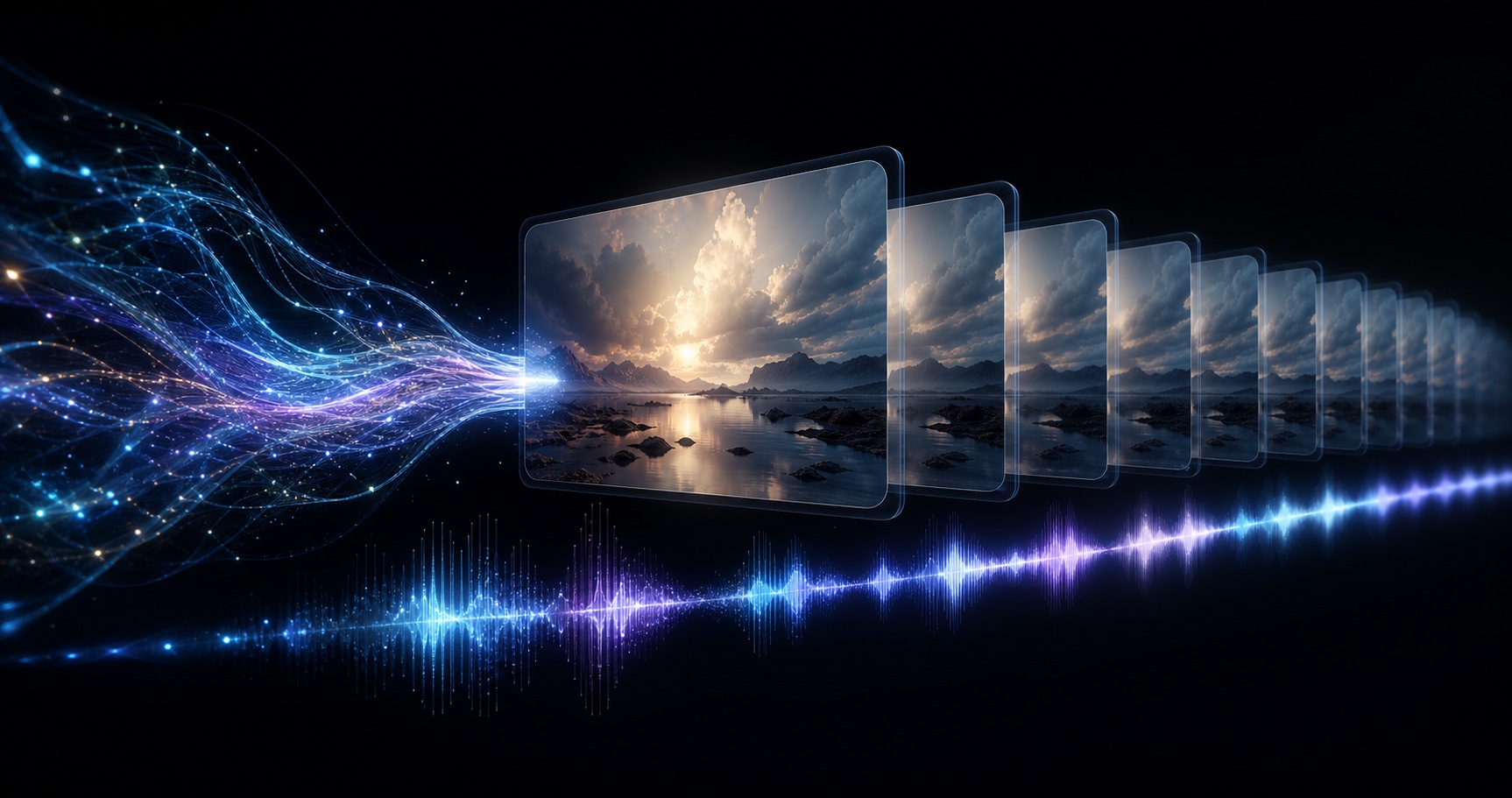
Muse AI—more precisely, Meta Muse Video—is Meta’s new AI video generation model for creating high-fidelity video with native audio from a text prompt. Developed by Meta Superintelligence Labs, Muse Video is designed to follow detailed creative directions, keep people and objects visually consistent over time, and generate sound as part of the same video experience. You can explore this new workflow through the AI Muse Video generator, an independent creative platform and guide for Muse-style video generation.
Meta officially previewed Muse Video on July 7, 2026. It was introduced alongside Muse Image, but the two models have different jobs: Muse Image creates and edits still images, while Muse Video turns creative direction into moving, sounding scenes. This article focuses on Muse Video—what it is, why it matters, what Meta has confirmed, and what remains unknown.
What is Meta Muse Video?
Meta Muse Video is an upcoming generative AI model that produces video and audio from natural-language instructions. A creator can describe the subject, action, location, camera movement, visual style, and sound, and the model attempts to render them as one coherent clip.
Meta highlights four core capabilities:
- Native audio generation: Muse Video generates sound with the visuals instead of returning only a silent clip.
- High visual fidelity: It aims to preserve detail, texture, lighting, and composition throughout a scene.
- Strong prompt adherence: The output is designed to reflect the people, actions, setting, camera direction, and atmosphere requested by the user.
- Temporal consistency: Subjects and scene structure are intended to remain recognizable as the camera and objects move.
In Meta’s published Arena results dated July 5, 2026, Muse Video ranked No. 3 for text-to-video human preference. That result makes it one of the most competitive new video models shown publicly, although a leaderboard score cannot answer practical questions such as generation speed, pricing, duration, or reliability.
An illustrative video from the AI Muse Video creative workflow. Use it to inspect motion continuity and changes in light across frames. This is an independent site example, not a clip presented as official Meta Muse Video output.
Why is it called Muse AI?
“Muse AI” is not the formal name of a single Meta product. It is a convenient search term people use for Meta’s new Muse media models. The official video model is called Muse Video.
Meta announced two related media models:
| Model | Main purpose | Current status | | --- | --- | --- | | Muse Image | Image generation, editing, and multi-reference composition | Available in selected Meta products and regions | | Muse Video | Text-to-video generation with native audio | Early preview; coming soon |
The relationship matters because Muse Video is built on the same pretraining foundation as Muse Image. Meta is not treating image and video generation as isolated products; it is developing a connected media system that can understand common visual concepts across both formats.
How does Muse Video work?
Meta has not released a full architecture paper or public developer specification for Muse Video. Any claim about exact model size, training data, resolution, or clip duration would therefore be speculation. The confirmed process can be understood in four stages.
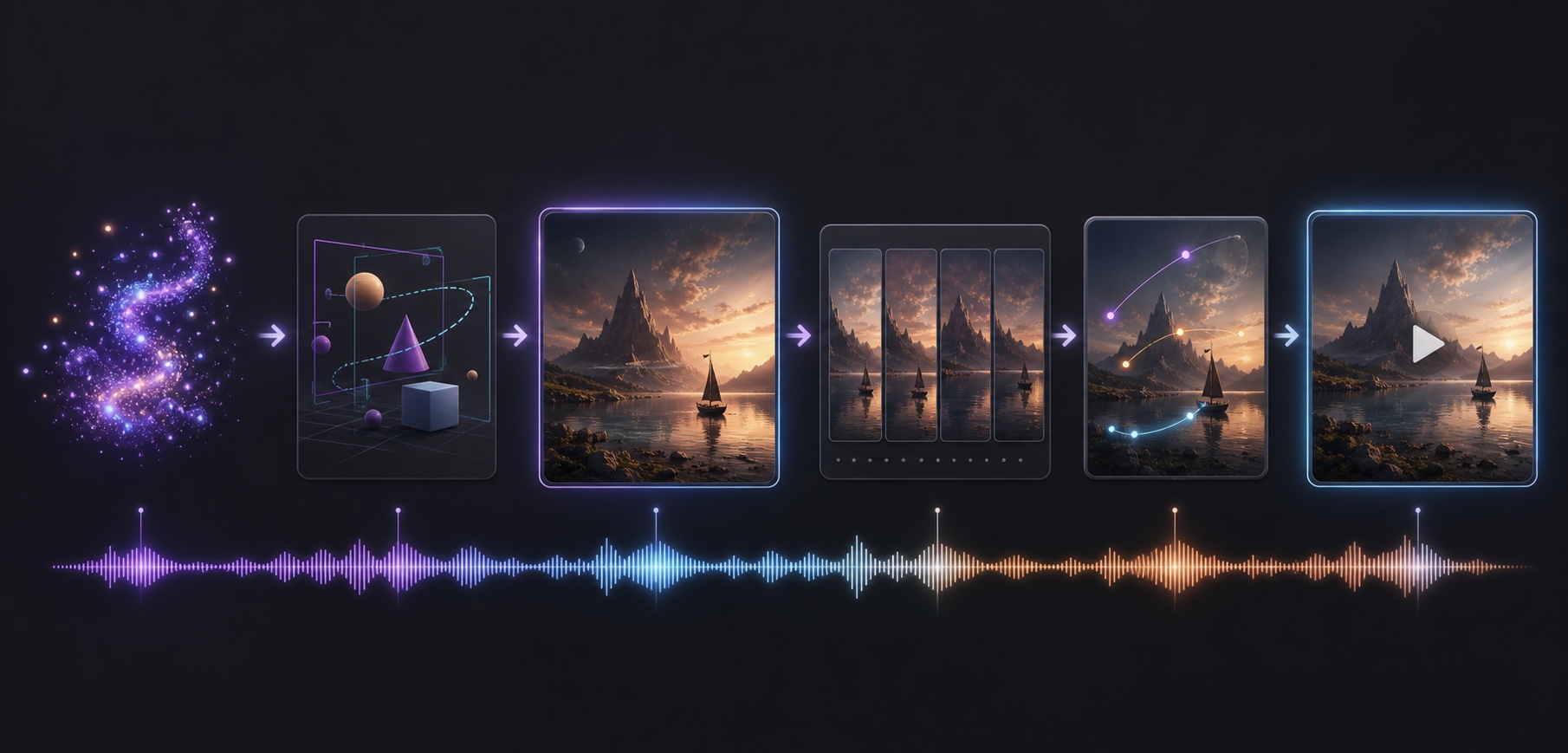
Conceptual workflow: creative direction is interpreted as a scene, extended into consistent frames, planned across motion, and paired with native audio. This is an explanatory illustration, not Meta’s unpublished technical architecture.
1. The user describes a complete scene
A useful Muse Video prompt goes beyond naming an object. It tells the model what happens, how the camera observes it, what the scene should feel like, and what should be heard.
For example:
A red vintage convertible drives along a wet coastal road at sunrise. The camera tracks beside the car before rising into a wide aerial shot. Golden cinematic light, realistic reflections, ocean wind, tire spray, and a soft engine sound.
This prompt defines six important layers: subject, movement, environment, camera, visual style, and audio.
2. The model interprets visual and temporal relationships
Video generation is not simply image generation repeated many times. The model must understand that the same car, person, or product should remain consistent across frames. It must also infer how objects move, how the camera changes perspective, and how lighting and reflections evolve over time.
When reviewing a generated clip like the example above, watch the boundaries of moving forms, the stability of highlights, and whether shapes change unexpectedly between frames. These checks make “temporal consistency” a concrete quality test instead of an abstract marketing phrase.
3. Video and audio are generated as one experience
Native audio is the feature that most clearly separates Muse Video from earlier silent video generators. A prompt can include ambience, effects, and acoustic direction. In principle, a beach scene can include waves and wind, while a product shot can include mechanical clicks or room tone without requiring a separate sound-generation step.
4. The result is evaluated for coherence
The strongest Muse Video results should satisfy more than visual beauty. They need to preserve identity, follow the requested action, maintain believable motion, respect camera direction, and match sound to the scene. These are also the places where failures become most visible.
What makes Meta Muse Video different?
Muse Video enters a market that already includes models such as Google Veo and OpenAI Sora. Its differentiation is not simply “AI that makes video.” Its published positioning centers on a combination of four qualities.
Native audio from the beginning
Sound is planned alongside the video rather than treated as an afterthought. This can shorten a creator’s workflow and help the result feel more complete before it reaches an editor.
A shared foundation with Muse Image
Because Muse Image and Muse Video share a pretraining base, Meta is building toward a workflow in which a visual concept can move from image ideation and editing into video creation. Meta has not yet documented the final public workflow, but the shared foundation shows the direction of the product family.
Integration with Meta’s creator ecosystem
Meta says Muse Video is coming to creators and Meta AI. If it eventually reaches Instagram, Facebook, WhatsApp, or Meta’s advertising tools, distribution could become one of its biggest advantages: creators may be able to generate media inside the platforms where they already publish and promote it.
Competitive human-preference results
The No. 3 Arena position suggests that evaluators already find the preview competitive in text-to-video generation. Still, this should be treated as an early benchmark, not proof that Muse Video will outperform every alternative for every prompt.
What can you create with Muse Video?
Based on its announced strengths, Muse Video is relevant to several common production tasks.
- Social videos: Generate vertical hooks, atmospheric loops, and short narrative scenes.
- Product advertising: Place a product in a directed environment with camera movement, lighting, and sound cues.
- Cinematic B-roll: Create establishing shots, transitions, landscapes, and stylized inserts.
- Storyboards and concept tests: Turn an idea into motion before spending time on a full production.
- Image-to-video workflows: Meta has not fully documented public inputs yet, but the shared Muse foundation points toward connected image and video creation.
- Creative previsualization: Test lenses, camera moves, pacing, lighting, and audio direction before filming.
The best early use cases are likely short, visually focused scenes with one primary action. Complex choreography, crowded scenes, and very fast motion are harder because they demand more precise physical and temporal reasoning.
If you want to move from research to experimentation, the Muse Video AI creation workspace provides a practical starting point for turning a scene description into a video-generation brief.
How to write a good Muse Video prompt
A practical prompt formula is:
Subject + action + environment + camera + lighting/style + audio
Here is a product-video example:
A matte-black wireless speaker sits on a stone pedestal in a dark studio. Fine water droplets rise around it as the camera makes a slow 180-degree orbit. Sharp rim lighting, premium commercial style, deep room ambience, subtle water movement, and a low electronic pulse.
To improve prompt adherence:
- Use one clear main subject.
- Describe one primary action before adding secondary motion.
- Name a specific camera movement, such as a slow push-in, tracking shot, or orbit.
- Describe lighting with concrete language rather than only saying “cinematic.”
- Include the sound source and the desired ambience.
- Avoid contradictory directions, such as asking for a static camera and a sweeping camera move in the same sentence.
You can apply this structure directly in the text-to-video generator: begin with a single subject and action, then add camera, lighting, and audio instructions only after the central scene is clear.
Does Muse Video generate native audio?
Yes. Meta explicitly says Muse Video supports native audio. This means it can generate audio as part of the video rather than producing only silent footage.
However, native audio and perfect synchronization are not the same thing. Meta identifies precise audio-video synchronization as a current performance gap. A door slam, footstep, impact, or spoken action may not always align exactly with the corresponding visual event. Native audio is therefore a major capability, but it remains an area to evaluate carefully when public access arrives.
What are Muse Video’s limitations?
Meta has publicly identified two limitations:
Audio-video synchronization
The model can generate sound, but sounds may not line up perfectly with visible actions. This is especially noticeable when an event has a precise moment of impact.
Physically accurate fast motion
Fast movement can reveal mistakes in anatomy, object shape, collision, trajectory, or continuity. Sports, fights, dancing, and rapid camera moves are likely to be more difficult than slow, controlled scenes.
Other important product details remain unknown. Meta has not announced:
- Maximum clip duration.
- Supported resolutions or aspect ratios.
- Generation speed.
- Pricing or usage limits.
- Editing and extension controls.
- Commercial licensing terms.
- Public API access.
- Exact launch countries.
Until Meta publishes those details, websites should not present guessed specifications as official Muse Video capabilities.
Is Meta Muse Video available now?
As of July 20, 2026, Meta Muse Video is not broadly available as a public Meta product. In its official Muse announcement, Meta describes it as an early preview and says it is coming soon to creators and Meta AI.
There is no confirmed public Muse Video API, standalone download, official pricing page, or announced global release date. Independent AI video websites may provide Muse-inspired workflows or other video-generation models, but their existence does not prove access to Meta’s unreleased model.
How is Muse Video related to Meta AI?
Muse Video is a model; Meta AI is a broader assistant and product experience. Meta AI may become one of the interfaces through which people use Muse Video.
This is similar to the difference between an engine and an application. The model performs the generation, while Meta AI provides the user-facing conversation, controls, account system, and distribution environment.
Frequently asked questions
What is Muse AI Video?
Muse AI Video usually refers to Meta Muse Video, an upcoming AI model that generates high-fidelity video with native audio from text prompts.
Who created Muse Video?
Muse Video was developed by Meta Superintelligence Labs and previewed by Meta on July 7, 2026.
Can Muse Video turn text into video?
Yes. Text-to-video generation is the central capability shown in Meta’s preview. Users describe the subject, action, setting, camera, style, and sound in natural language.
Can Muse Video create sound effects?
Meta confirms native audio support, which can include sound associated with the generated scene. Precise synchronization remains a disclosed limitation.
Can I use Muse Video for free?
Meta has not announced pricing or free usage limits for Muse Video. Any definitive pricing claim is currently unconfirmed.
Is there a Muse Video API?
Meta has not announced a public Muse Video API. Developers should wait for official Meta documentation before designing a product that depends on it.
Is Muse Video the same as Muse Image?
No. Muse Image generates and edits still images. Muse Video generates moving scenes with native audio. They share a pretraining foundation but serve different media tasks.
When will Muse Video be released?
Meta has only said that Muse Video is “coming soon” to creators and Meta AI. No exact date has been announced.
The bottom line
Meta Muse Video is a next-generation AI video model built around high visual fidelity, prompt adherence, temporal consistency, and native audio. Its early No. 3 human-preference Arena result makes it a serious new entrant in AI video generation, while Meta’s enormous creator ecosystem could give it unusually broad distribution.
But Muse Video is still a preview. Its audio synchronization and fast-motion physics need improvement, and essential product details—from pricing and clip length to API access—remain unannounced. The most accurate answer to “What is Muse AI?” is therefore: it is Meta’s emerging media-generation technology, and Muse Video is its upcoming model for turning creative prompts into coherent video and sound. Explore the workflow and follow its evolution from the AI Muse Video homepage.